If you are setting up your solver, it is beneficial to use preCICE as in debug configuration as it will allow you to get more verbose output. You find more information about the logging configuration in the wiki.
My two solvers don’t find each other anymore! It worked just 2 seconds ago!
preCICE creates a directory precice-run in the directory that your run your simulations from that is cleaned up when the coupled solvers terminate. If your programs end unexpectedly (due to crash, aborted debugging etc.), there is a good chance that this directory has not been cleaned properly. Just remove the directory by hand and try again.
My solver don’t find each other. Start the two solvers from the same directory. If you can change that (explicitly state location of precice-run directory), please look into the preCICE documentation.
Check your output for errors. Make sure that the time loop is controlled by preCICE! If you call preCICE after the time specified in <max-timevalue="2.0"/> (in the XML file) has been reached, you will get an error message that looks like this: ERROR:InvalidcallofaddComputedTime()aftersimulationend!
Both solvers write their output files to separate directories out_{$participantName}. This means if the fluid solver has the participant name FluidSolver it writes its output to out_FluidSolver. You can see the directory layout also in the debugging examples in the test case setion Test cases.
Computing boundary data to be exchanged with preCICE
In order to update boundary conditions on coupling boundaries on has to treat the temperatures and heat fluxes carefully. It is important that the temperatures in the ghost/halo cell are updated before data is given to preCICE.
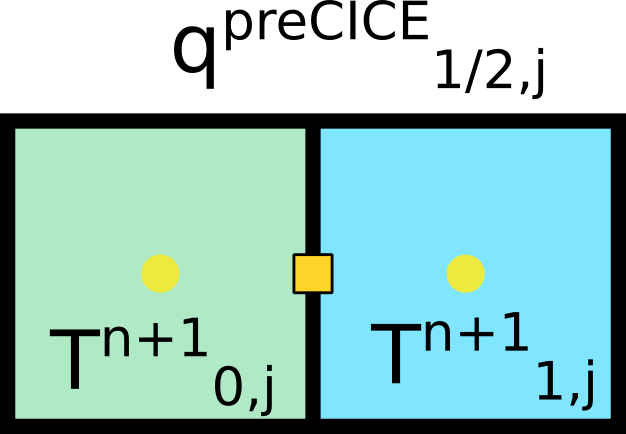
We sketch the procedure for the fluid solver. It receives a heat flux \(q^{n,\mathrm{preCICE}}\) from preCICE, computes a new velocity, temperature and pressure field. Afterwards the temperature on the coupling bounday is computed and given to preCICE which sends the data to the solid solver.
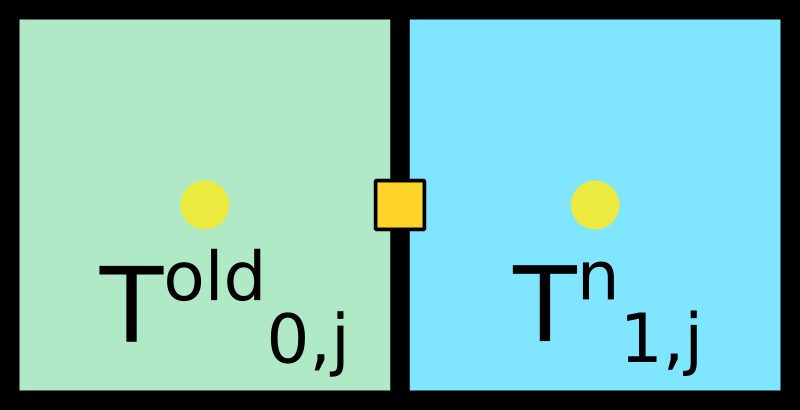
We start with a flow field with temperature at time level \(n\), i.e. \(t^n\). We know the temperature \(T^{n}_{1,j}\) in the flow domain (blue) and we have some old value in the coupling ghost/halo cell (green).
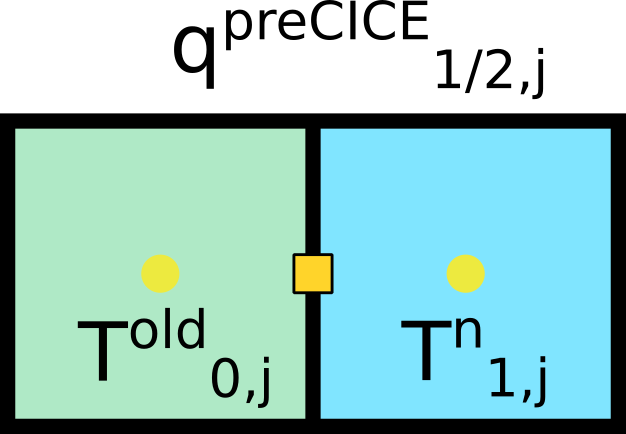
We obtain a heat flux \(q^{n,\mathrm{preCICE}}_{\frac{1}{2},j}\) on the coupling interface from preCICE.
The heat flux \(q^{n,\mathrm{preCICE}}_{\frac{1}{2},j}\) is used as a coupling/boundary condition such that we can update the temperature in the ghost/halo cell \(T^{n}_{0,j}\).
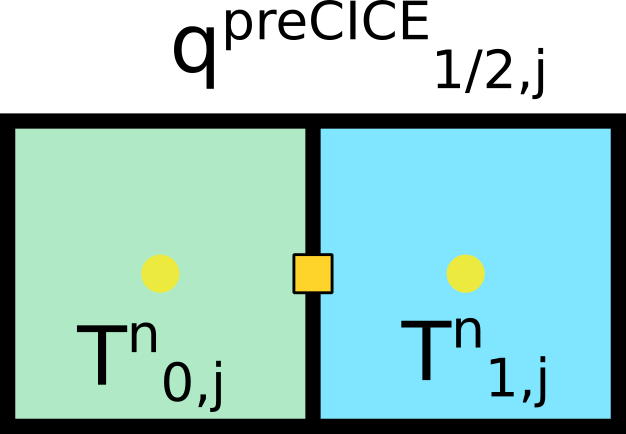
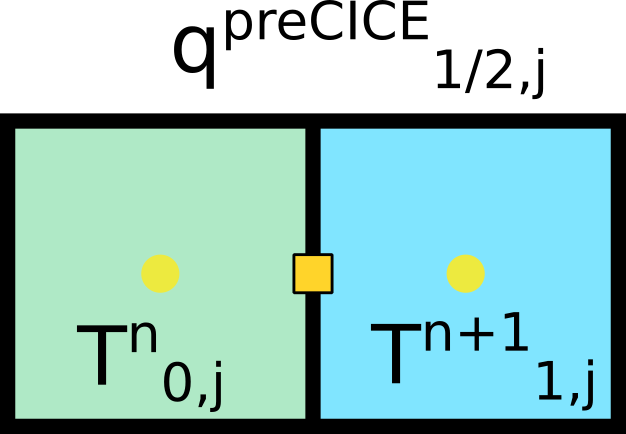
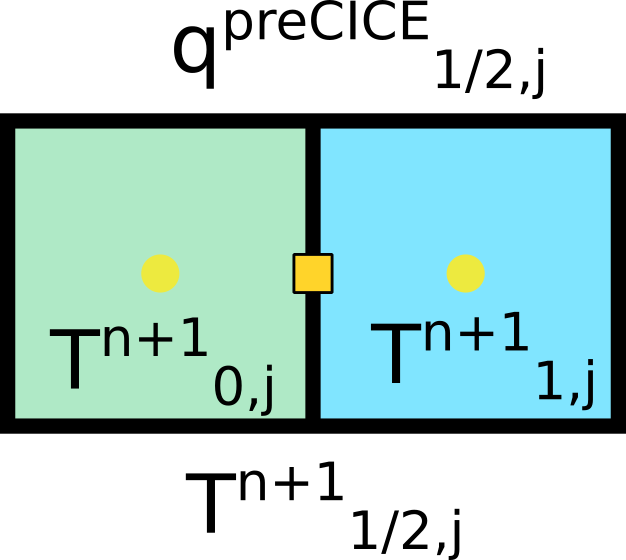
With the updated coupling/boundary condition we can compute the new flow state and temperature \(T^{n+1}_{1,j}\) in the flow domain. Next, we have to compute the temperature \(T^{n+1}_{\frac{1}{2},j}\) in order to give it to preCICE. We cannot do this with the current state since the temperature in the ghost/halo cell is still old! It violates the currenlty imposed boundary condition (heat-flux)!
We use the temperature \(T^{n+1}_{1,j}\) and \(q^{n,\mathrm{preCICE}}_{\frac{1}{2},j}\) to update the temperature in the ghost/halo cell again to obtain \(T^{n+1}_{0,j}\) based on the the currently available heat flux \(q^{n,\mathrm{preCICE}}_{\frac{1}{2},j}\).
Note
Whether you actually have to update the ghost/halo cell or not, depends on the details of your implementation. It is important that you compute \(T^{n+1}_{\frac{1}{2},j}\) based on the temperature at time level \(n+1\).
We use the updated values in order to compute \(T^{n+1}_{\frac{1}{2},j} = \frac{1}{2} \left( T^{n+1}_{0,j} + T^{n+1}_{1,j} \right)\) and give this temperature to preCICE.
Now the loop is complete and we start over with step 1. We have to update the value in the ghost/halo cell again as we will obtain a new heat flux \(q^{n+1,\mathrm{preCICE}}_{\frac{1}{2},j}\) from preCICE.
An equivalent procedure has to be carried out for the solid solver. Most likely you do this already since you solve it implicitly.
The modules might interfere with already loaded environment modules! Try modulepurge to unload all modules and load the correspnding NumSim1920 module again.
Note
The module files will load all necessary dependencies that you (should) need to compile your code.
To be more specific the module file does the following:
Load gcc/10.2, vtk/9.0.1, openmpi/3.1.6-gcc-10.2 and cmake/3.18.2
Set the environment variables to use a working MPI (in case you want to use it)
Set environment variables for preCICE dependencies and preCICE itself